#
Teams room configuration

#
Teams room configuration
If we decide to setup a Teams room for our engagement together, make sure that your Azure tenancy is configured to allow communication with 7minsec.com:
Go to https://admin.teams.microsoft.com/company-wide-settings/external-communications.
Click Users > External Access
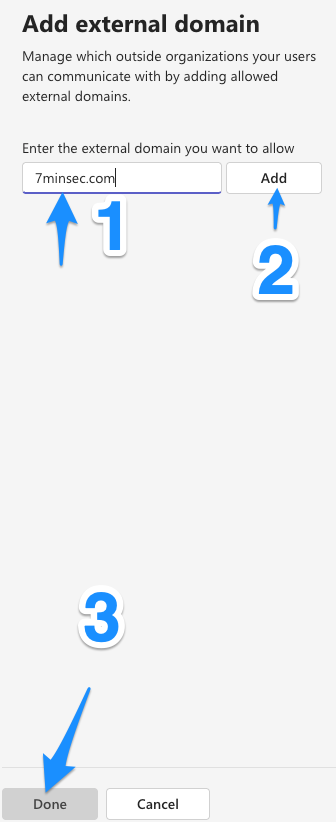
Under Allow or block external domains, if you have selected Allow only specific external domains, click Add a domain and add it like so:
- Once that configuration is set, don't forget to hit Save at the very bottom of the page: